Testing is a crucial part of the software development life cycle. It allows teams to measure quality, verify if features and workflows work as expected, and prevent critical issues. Yet, it’s often undermined by poor practices and anti-patterns that slow down development and allow bugs to slip into production.
In this post, we’ll explore five common testing anti-patterns that sabotage quality and hinder delivery. We will also use real examples to demonstrate how AI testing tools can help teams resolve these challenges.
Anti-Pattern 1: Testing Too Late in the Development Cycle
Leaving tests for the end of the development cycle is a common anti-pattern, especially when the overall strategy is not well defined.
Tests should be conducted alongside the development process while the requirements are still fresh, the design is clear, and the users haven’t churned.
Impact
- Bugs become too expensive to fix.
- Developers are forced to revisit old code instead of building new features.
- Product releases slow down.
How to Fix Using AI
Tools like QA.tech can generate tests in just a few clicks and a simple prompt. In the example below, I pasted the live project URL and asked it to create 3–5 test cases. Within minutes, it:
- Automatically identified workflows;
- Generated relevant test cases;
- Executed the tests;
- Returned described results.

The result: Features are successfully tested by the time you’re ready to release. There's no manual scripting or complex setup. A URL and a prompt are enough for your tests to be up and running.
Anti-Pattern 2: Manual Testing
When tests depend on someone to “press play” or validate flows, they don’t scale. As the product grows, manual testing eventually becomes a bottleneck.
Impact
- Releases are delayed because testing depends on the QA team’s availability.
- Human errors during validation allow bugs to slip into production.
- QA becomes a blocker instead of an enabler.
How to Fix Using AI
With platforms like QA.tech, testing no longer depends on someone remembering to run it.
You can schedule tests to execute automatically and receive the results directly via email or Microsoft Teams.
In the GIF below, you can see how I’ve scheduled my tests to run every day at 9 a.m. From that point on, everything happens automatically: the tests run, results are generated, and a summary lands in my inbox.
.gif)
The result: Testing runs on its own, delivering consistent and predictable results without human intervention.
Anti-Pattern 3: Tests Missing Real-World Failures
Even if your software has passed tests, it doesn’t necessarily mean it’s safe, especially if real-world scenarios haven’t been considered.
Many teams only focus on the scenarios they see as important. The happy path works, everything looks green… But what about the scenarios no one has thought about? Unusual user interactions, time zone mismatches, partially filled forms, retry attempts, and similar edge cases can still break your product.
Impact
- Common edge cases go untested.
- Customer experience is negatively affected.
- Teams waste time fixing issues that could have been caught earlier.
How to Fix Using AI
AI-driven testing tools help uncover scenarios humans tend to overlook by:
- Automatically prioritizing flows that are most likely to fail;
- Generating unexpected user interactions;
- Exploring alternative user paths beyond the primary workflow.

The result: Tests go beyond happy paths to include unpredictable interactions, thereby reducing bugs in production.
Anti-Pattern 4: Testing by Using Static Data
Another common anti-pattern (incidentally related to the previous one) is testing the same static data under identical conditions, which often causes tests to miss real-world scenarios.
Impact
- Tests become irrelevant as real data evolves.
- As new features are built, testing struggles to keep up.
How to Fix Using AI
By using QA.tech, you can automatically generate dynamic data and simulate real-world inputs without manually defining every variation. This platform can:
- Automatically generate random test data;
- Simulate real-world inputs;
- Avoid static and repetitive test scenarios;
- Run the same test multiple times with different data on each execution.

The result: Tests become more resilient to change and closer to what users actually experience.
Anti-Pattern 5: Tests That Break on Every UI Change
When front-end tests are coupled with specific UI layouts or styles, even minimal changes can cause failures. All this makes test results unreliable and the testing process itself meaningless.
Impact
- False positives become a frequent occurrence.
- Teams start ignoring test failures, undermining confidence in the testing process.
How to Fix Using AI
With AI-based platforms like QA.tech, you don’t need to manually configure CSS IDs, classes, or selectors. The AI is capable of understanding the interface as it loads by interacting with components based on context and behavior.
- No dependency on hardcoded selectors;
- Automatic identification of UI components at runtime;
- Tests that adapt to layout changes;
- It works whether your application is an SPA or not.
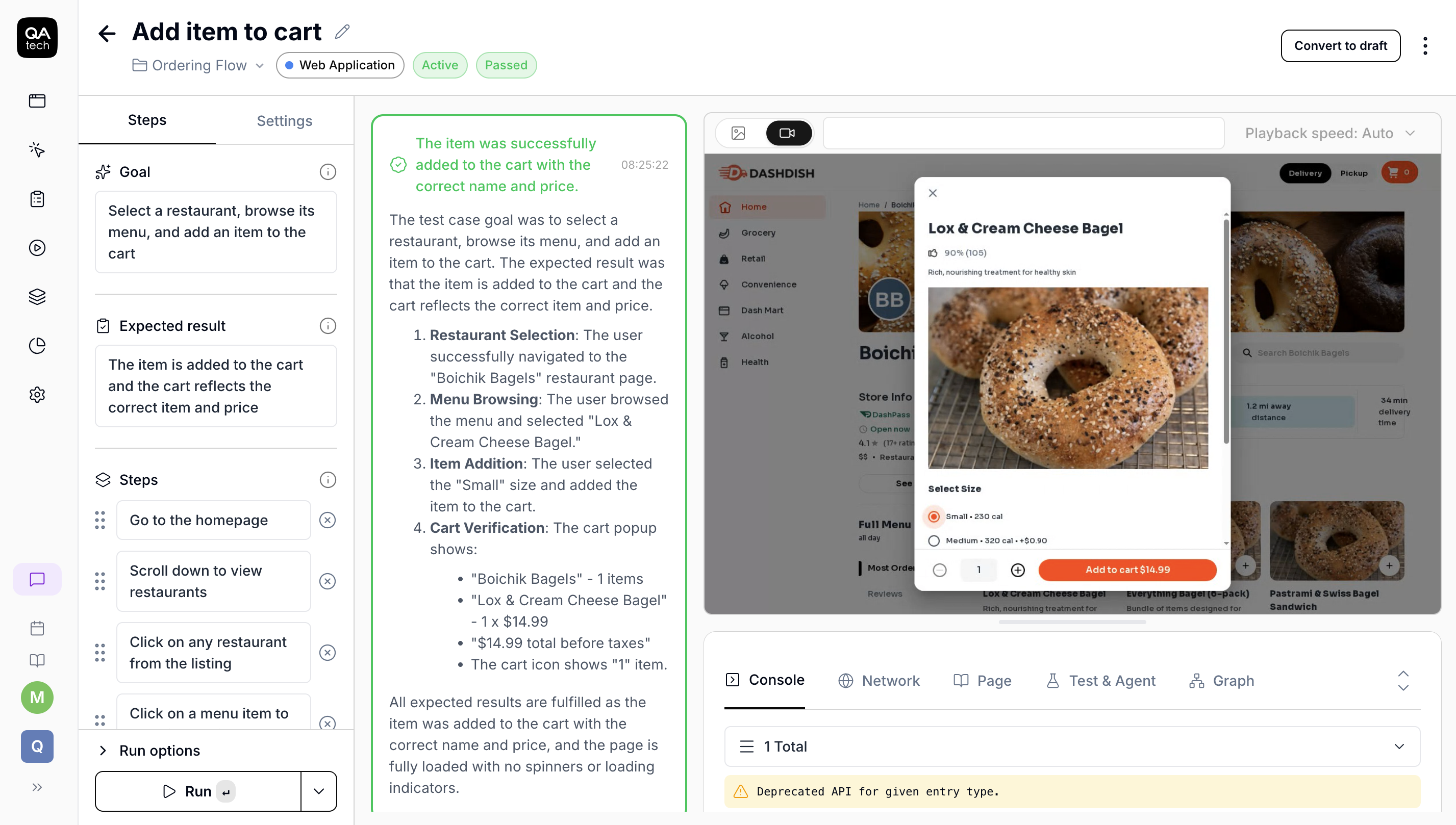
The result: Tests are reliable and maintainable, even as the UI updates. Development remains fast, and quality stays high.
What Is QA.tech?
QA.tech is a tool that helps implement all the solutions mentioned in this post. It relies on AI to make tests smarter, more meaningful, and focused on what truly matters.
By using the QA.tech platform, you can:
- Run goal-driven tests;
- Get new test ideas and automatically execute them;
- Make role-based tests;
- Test accessibility;
- Test across multiple environments;
- Have full control over the tests suites.
Conclusion
All these anti-patterns share the same root cause: a false sense of security. Modern testing needs to be closer to real users, real data, and real behavior.
AI-driven testing helps teams catch bugs before they reach production and keep product quality high, thereby making the entire testing process faster and more reliable. Book a demo to see how it can help you catch issues early and ship with confidence.