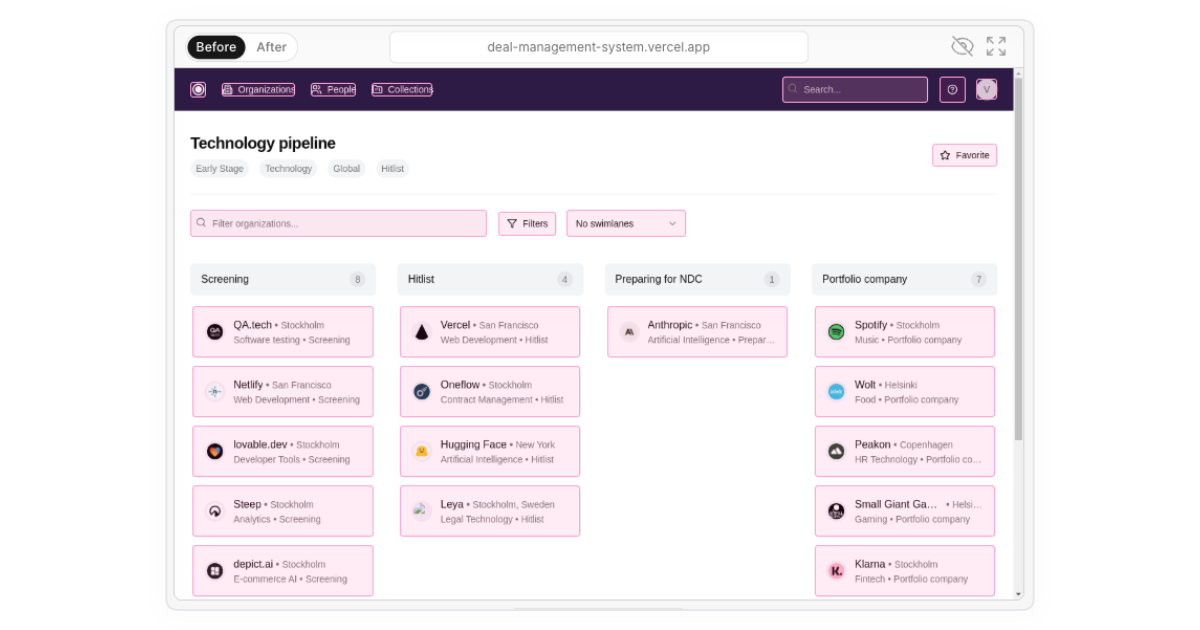
It's frustrating when your automated tests fail because the AI agent misses elements it should interact with. To solve this, we've introduced a simple way to visually confirm exactly what elements your agent sees and can interact with on your site.
How It Works
- Visual Highlights: Simply click the eye icon in the tracer to instantly highlight all interactive elements on the page that the AI agent recognizes.
- Real-Time Debugging: Quickly identify elements the agent might have missed or overlooked, making debugging faster and simpler.
- Under the Hood: We extract these interactive elements using some JavaScript magic combined with precise HTML parsing, ensuring accurate representation of your site's interactivity.
When to Use This
- You're unsure if a button or input field was properly identified.
- The agent misses an important action during test execution.
- You want a quick visual sanity check for complex UI interactions.
Try it out now and see exactly how your AI agent views your site. Debugging interactive tests just got simpler!